WPC Smart Quiz – Product Finder for WooCommerce

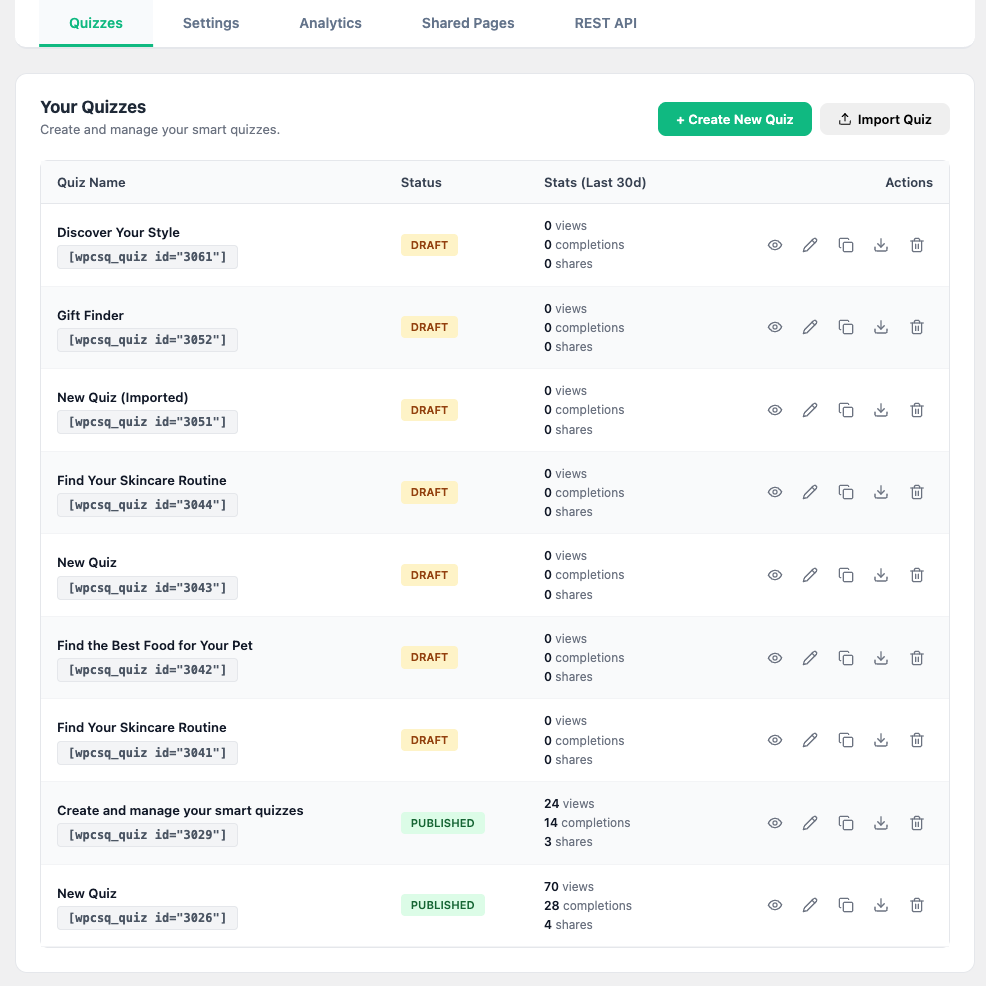
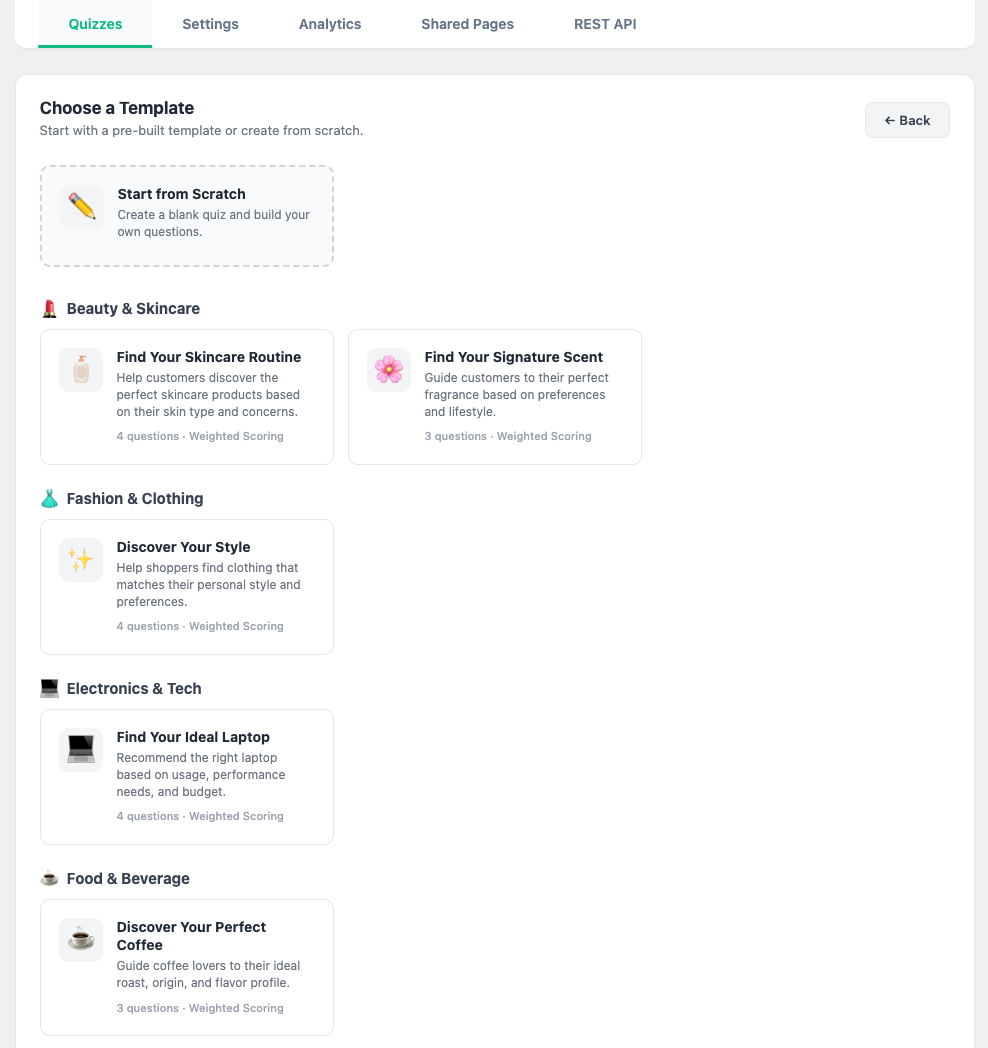
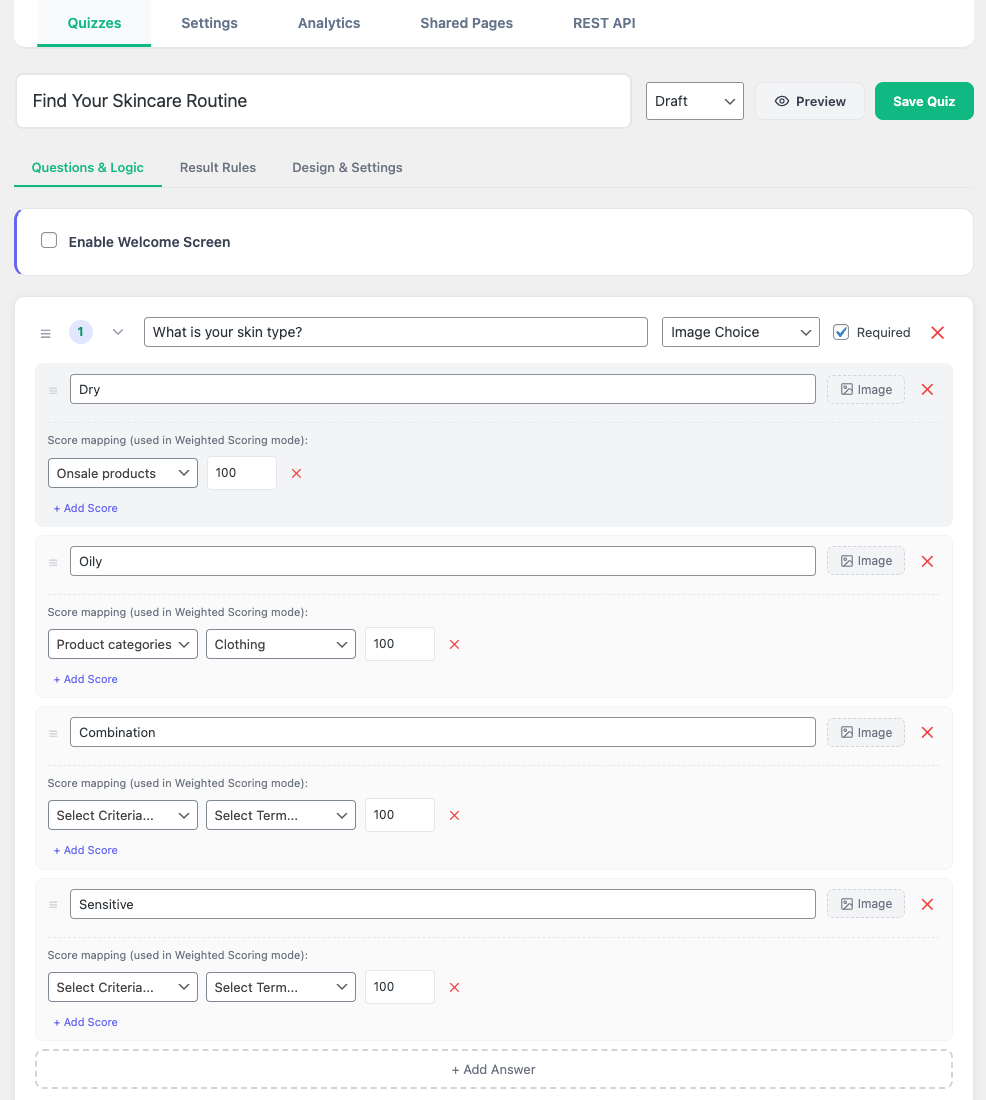
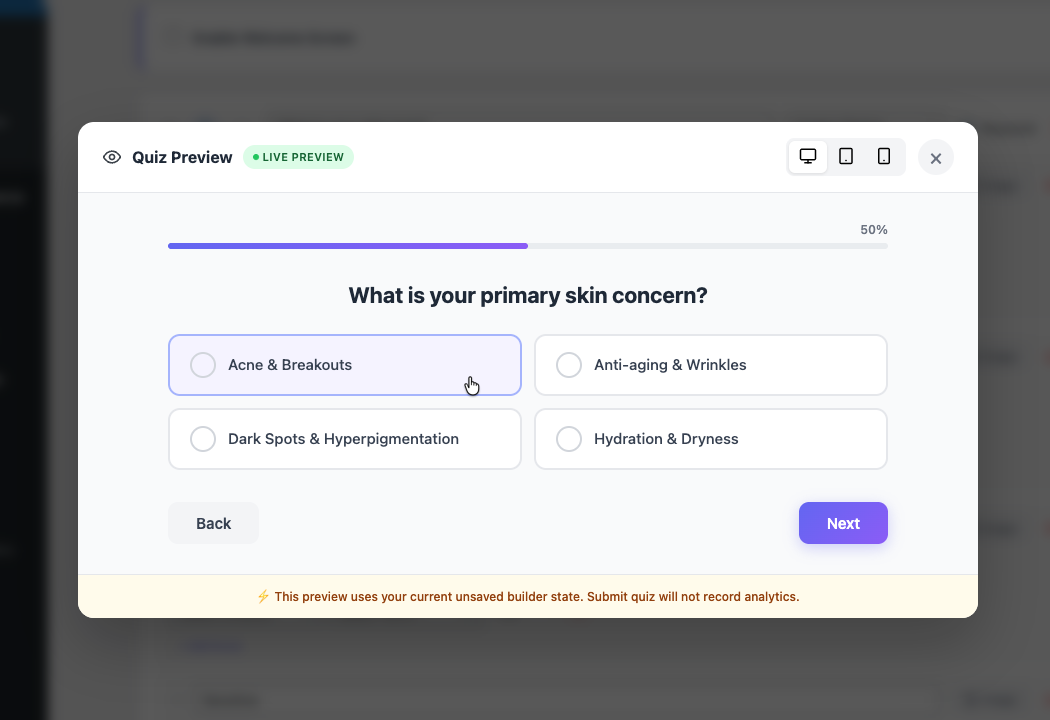
WPC Smart Quiz is a guided selling engine for WooCommerce that transforms the overwhelming "browse everything" shopping experience into a focused, one-on-one conversation. Create beautiful, interactive quizzes that ask the right questions, adapt to each shopper's answers in real time, and recommend the perfect products — automatically.
Instead of hoping customers find the right product, Smart Quiz guides them there. Skincare routines, electronics bundles, fashion fits, supplement stacks — any product catalog benefits from a personalized discovery flow that feels like talking to an expert.
Why WPC Smart Quiz?
- Visual quiz builder — drag-and-drop interface, no coding needed.
- Two recommendation engines — Weighted Scoring for large catalogs, Direct Mapping for precise control.
- Conditional Logic — branching flows that skip irrelevant questions and create a unique path for each user.
- Built-in lead capture — Email Gate collects guest emails before revealing results.
- Smart coupons — auto-generated, deduplicated, email-restricted WooCommerce coupons as quiz incentives.
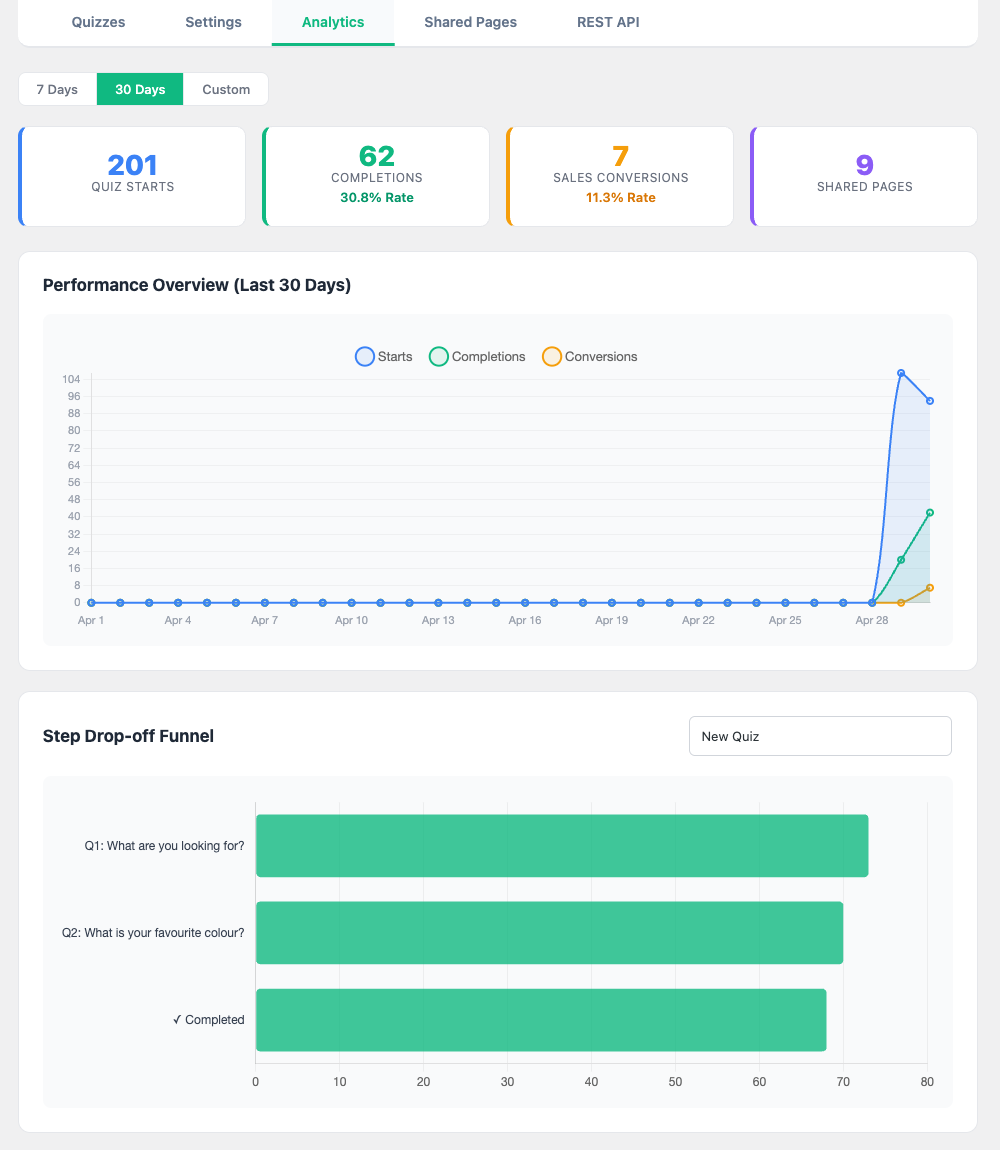
- Full analytics — step-by-step funnel chart, conversion tracking, and date-range reporting.
- Outbound webhooks — integrate with any CRM, email platform, or automation tool in real time.
- Performance-first — result caching, lazy analytics, and non-blocking AJAX calls.
Key Features
- Drag-and-drop quiz builder with unlimited steps and answers
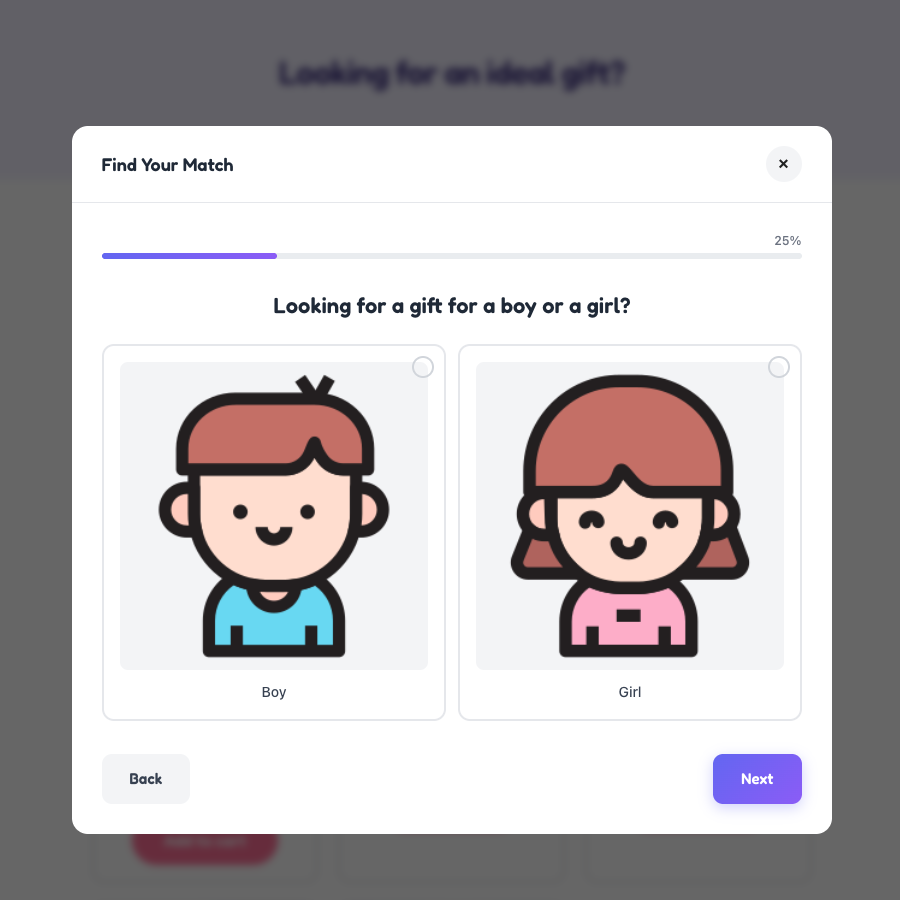
- Question types: Single Choice, Multi Choice, Image Choice, Multi Image Choice
- Visual answer cards with images, icons, and custom labels
- Welcome Screen with customizable heading, description, and Start button
- Conditional Logic with show/skip rules per step
- Two result modes: Weighted Scoring & Direct Mapping
- Advanced scoring: attributes, categories, tags, price range, ratings, sale status, stock level
- Auto-generated WooCommerce coupons with abuse prevention
- Email Gate for guest lead capture
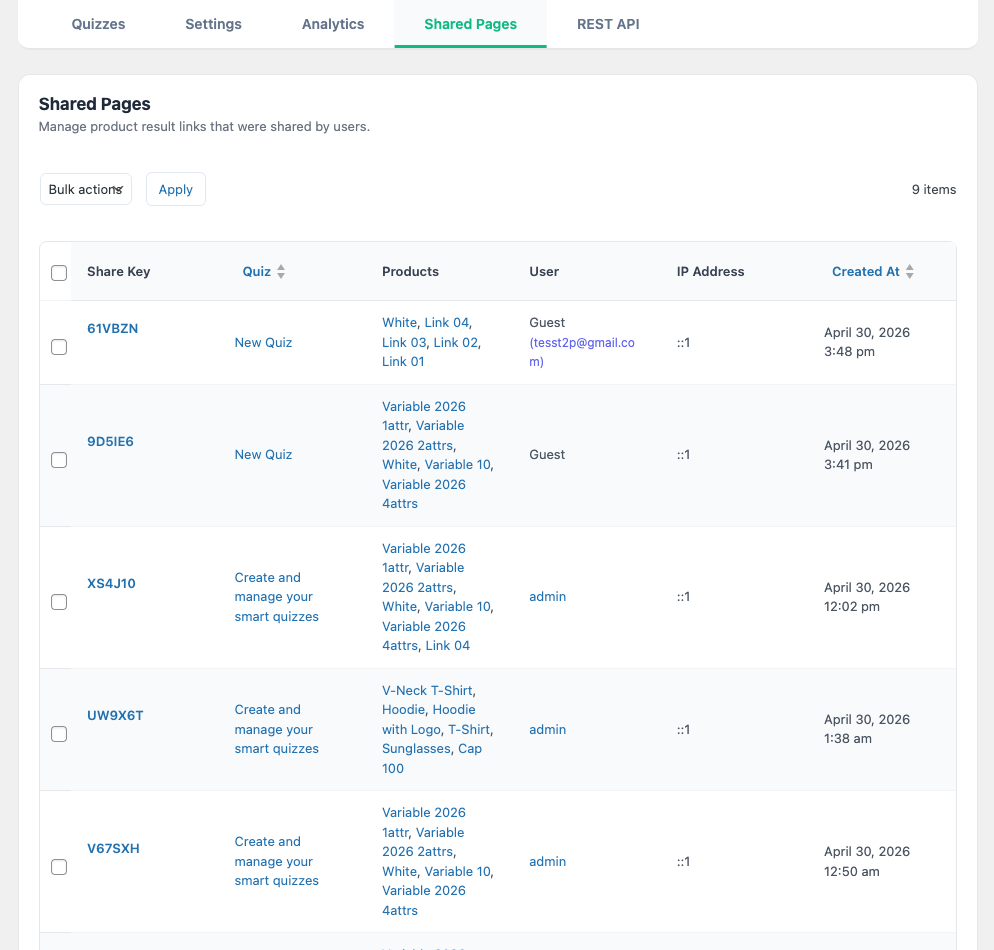
- Shareable quiz results via unique URLs
- Step-by-step funnel drop-off analytics with Chart.js
- REST API for headless integrations
- Outbound Webhooks with HMAC-SHA256 signatures
- Result caching with configurable TTL
- Six built-in color themes + custom primary color
- Slide & fade transition effects
- Responsive design (mobile, tablet, desktop)
- Builder preview with device switcher
- Floating quiz button for global site-wide access
- Shortcode & popup modal display modes
- HPOS (High-Performance Order Storage) compatible
- Translation ready with full RTL support
🧠 Recommendation Engine
Smart Quiz offers two distinct recommendation modes, each designed for a different catalog strategy.
Weighted Scoring
Each answer assigns points to product properties — attributes, categories, tags, price ranges, stock levels, ratings, and sale status. When the quiz completes, every product in your catalog is scored and the top matches are ranked automatically.
- No manual product mapping required — ideal for catalogs with 50+ products
- Score criteria: WooCommerce attributes, product categories, product tags, price ranges, customer ratings (1-5 stars), on-sale status, stock quantity thresholds
- Products are ranked by total accumulated score across all answers
- Admin can configure weight values per answer option
Direct Mapping
For stores that need exact control, each answer option directly maps to specific products. The final recommendation is the intersection (or union) of all mapped product sets.
- Precise control over which products appear for which answer combinations
- Best for small catalogs or curated product lines
- Simple "if this, then that" configuration
🔀 Conditional Logic
Not every customer should answer every question. Conditional Logic creates personalized, branching quiz flows:
- Show rule: Display a step only when a condition matches (e.g., show "Skin concerns" only if user selected "Skincare" in step 1)
- Skip rule: Always skip a step when a condition matches (e.g., skip "Budget" for returning customers)
- Conditions reference any previous step's selected answer(s)
- Multiple conditions per step with AND/OR logic
- Steps are recalculated dynamically after each answer — the progress bar and step count update in real time
How it works:
- Admin sets rules per step in the quiz builder (e.g., "Show this step only if Step 1 answer = 'Outdoor'")
- After each answer, the engine recalculates which steps are visible
- Skipped steps are hidden from the progress bar and navigation
- The quiz feels like a unique conversation for each user
👋 Welcome Screen
An optional branded landing screen that appears before the first question, setting context and expectations.
Configuration:
- Toggle: Enable / Disable per quiz
- Customizable heading (default: "Let's find your perfect match")
- Customizable description (default: "Answer a few quick questions…")
- Customizable Start button text (default: "Start Quiz")
- Placeholder text auto-fills when fields are left blank
- Displayed in both live quizzes and builder preview
Navigation behavior:
- Clicking "Start Quiz" fades out the welcome screen and reveals the first question
- At Step 1, a "Back" button navigates back to the Welcome Screen
- Analytics: Quiz Starts are only counted when the user clicks "Start Quiz" — not on page load
📊 Funnel Analytics & Drop-off Tracking
A visual analytics dashboard that shows exactly where users engage and where they abandon your quiz.
Dashboard metrics:
- Quiz Starts — counted only on first meaningful engagement (Start Quiz click or first Next click)
- Completions — users who reached the results page
- Completion Rate — percentage of starts that result in completions
- Conversions — recommended products added to cart
- Conversion Rate — percentage of completions that result in an add-to-cart
- Emails Captured — guest emails collected via Email Gate
- Shares — quiz results shared via unique link
Step-by-step funnel chart:
- Bar chart (Chart.js) showing how many users reached each step
- Instantly reveals the exact question where drop-off spikes
- Filter by: 7 days, 30 days, or custom date range
- AJAX-powered — updates without page reload
🎟️ Smart Coupon Incentives
Reward quiz completions with auto-generated WooCommerce coupons. The coupon system is designed to be generous for genuine customers and resistant to abuse.
Coupon features:
- Auto-generated unique codes with configurable prefix (e.g.,
QUIZ-A3KF9B) - Discount type: percentage or fixed amount
- Individual use enforcement (cannot combine with other coupons)
- 30-day expiration
- Usage limit: 1 per coupon
Anti-abuse deduplication:
The system checks three identity layers before generating a new coupon:
- User ID — for logged-in customers, checks if they already have an active coupon for this quiz
- Email — for guests with Email Gate, checks by email address
- Session key — for anonymous guests, checks by browser session
If an active (unused, unexpired) coupon is found → the existing code is returned instead of creating a new one.
Cart validation:
Quiz coupons only work when the cart contains at least one product from the quiz's recommended results. This prevents coupon sharing and off-quiz usage.
📧 Email Gate
Capture guest emails as a lead generation tool before showing quiz results.
Behavior:
- Only appears for non-logged-in visitors — logged-in users bypass automatically
- Always visible in admin Preview mode for testing
- Validates email format before allowing submission
- Captured emails are stored in analytics and associated with the session
Integration with coupons:
When both Email Gate and coupons are active, the coupon is automatically restricted to the captured email address — preventing coupon sharing.
🔗 Shareable Results
Users can share their quiz results with friends via a unique URL.
How it works:
- After completing a quiz, a "Share Results" button generates a unique link
- The shared page shows the same product recommendations
- Each share records: quiz ID, answers, recommended products, user email (if captured), and timestamp
- Admin can view all shared pages in a dedicated management table
Guest tracking:
When a guest with Email Gate shares results, their email is displayed alongside the share record — useful for identifying engaged leads.
🔌 Webhooks & REST API
Integrate Smart Quiz with any external system through real-time webhooks and a RESTful API.
Outbound Webhooks
Configure a single webhook URL to receive POST requests with structured JSON payloads for three events:
quiz.completed— fires when a user finishes a quiz (includes quiz ID, answers, recommended products, user data)quiz.conversion— fires when a recommended product is added to cart (includes product details, session)quiz.coupon_used— fires when a quiz-generated coupon is redeemed (includes coupon details, discount amount)
Security:
- HMAC-SHA256 signature in
X-WPCSQ-Signatureheader for payload verification - Unique delivery ID in
X-WPCSQ-Deliveryheader - Plugin version in
X-WPCSQ-Plugin-Versionheader - Async dispatch via WP-Cron — webhooks never block the user's request
REST API:
Full CRUD endpoints under wpcsq/v1/ for quizzes, submissions, and results — suitable for headless WooCommerce implementations.
🎨 Themes & Customization
Six built-in color themes with a custom color override:
- Default — Indigo (#6366f1)
- Emerald — Green (#10b981)
- Rose — Pink (#f43f5e)
- Amber — Orange (#f59e0b)
- Cyan — Blue (#06b6d4)
- Slate — Gray (#64748b)
- Custom — any hex color via color picker
Transitions:
- Slide — horizontal slide with direction awareness (left/right)
- Fade — smooth opacity transition
Display modes:
- Inline shortcode:
[wpcsq_quiz id="123"]— renders directly on the page - Popup modal:
[wpcsq_btn id="123"]— click-to-open modal overlay - Floating button: global quiz accessible from any page
📋 Shortcodes
[wpcsq_quiz]
Render a quiz inline on any page or post.
[wpcsq_quiz id="123"]
[wpcsq_btn]
Render a clickable button that opens the quiz in a modal overlay.
[wpcsq_btn id="123"]
Supports text attribute for custom button label:
[wpcsq_btn id="123" text="Find your match →"]
[wpcsq_share]
Render shared quiz results on a designated share page.
Place this shortcode on the page selected as "Share Results Page" in Global Settings.
Onetime purchase - Lifetime update
1-year premium support
7-Day Money-Back Guarantee
After successful payment, the installation file will be immediately sent to your purchase email.
If you have any pre-sale questions, feel free to contact us.
Related Downloads