

Add a Reply
You must be logged in to reply to this ticket.

Awesome, I'll go look.
Thanks for your help.
Owen

 Staff
Staff
I just updated to version 1.2.2 to fix the quantity issue.
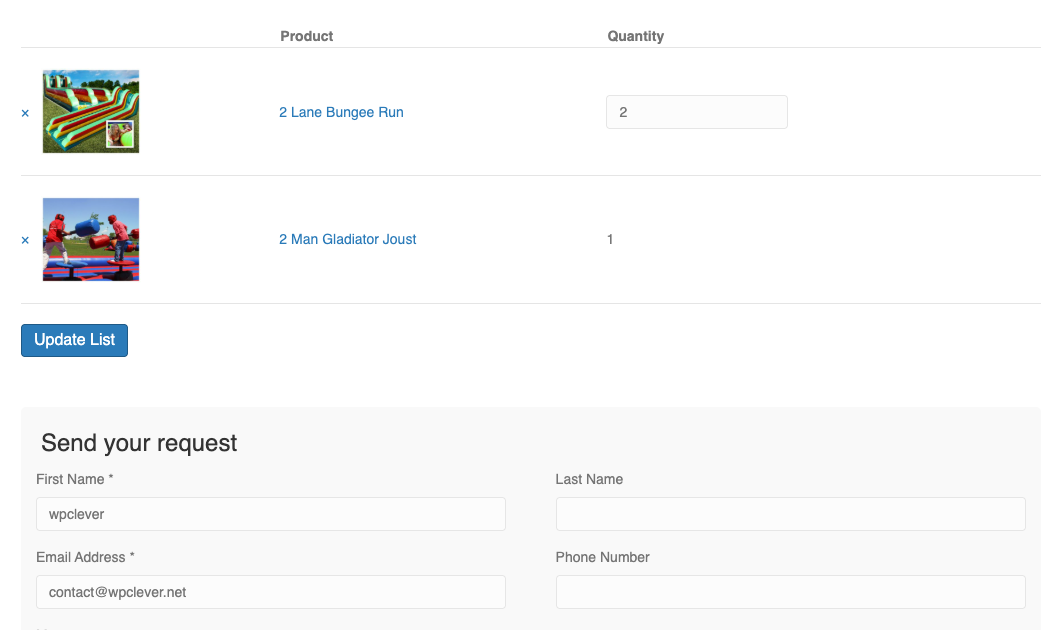
Additionally, I added the CSS below to WP-Admin → Appearance → Customize → Additional CSS:
.wpcrq-quote-table {
    border-spacing: 0;
    width: 100%;
    margin: 0 0 20px;
    border-collapse: separate;
}

.wpcrq-quote-table td {
    padding: 20px 0;
    border-top: 1px solid #e5e5e5;
}

.wpcrq-quote-table.cart .product-quantity .qty {
    width: auto;
}

.wpcrq-quote-table.cart .product-thumbnail img {
    margin: 0 auto;
    max-width: 100px;
    height: auto;
}
The result looks like this:
Staff
You can create an admin account using any email address or contact@wpclever.net, then provide me with the login details.
Also, further information, I'm using Beaver Builder with your shortcode on the staging site, the LIVE site uses Elementor and is currently using YITH Request for Quotes, I am hoping your plugin is better and does what we need it to do.
Owen
Hi There,
It is a staging site, you'll have to enter 173.209.56.12 staging.fwworld.com into your host file, I'll setup an account for you, what email address should I use to setup the wordpress account?
Owen
Staff
Hi Owen,
Please send me your website credentials (wp-admin link, username, and password), or create a dev/staging site with the same configuration so I can investigate any issues.
Keep in mind, I purchased both plugins, so they are Premium.
Owen
Using this plugin with WPC Grouped Product Plugin, but the Quantity Option does not display or work, I did notice that the Request for Quote plugin is not tested on WP 7.1, what should I be looking for?
Thanks,
Owen